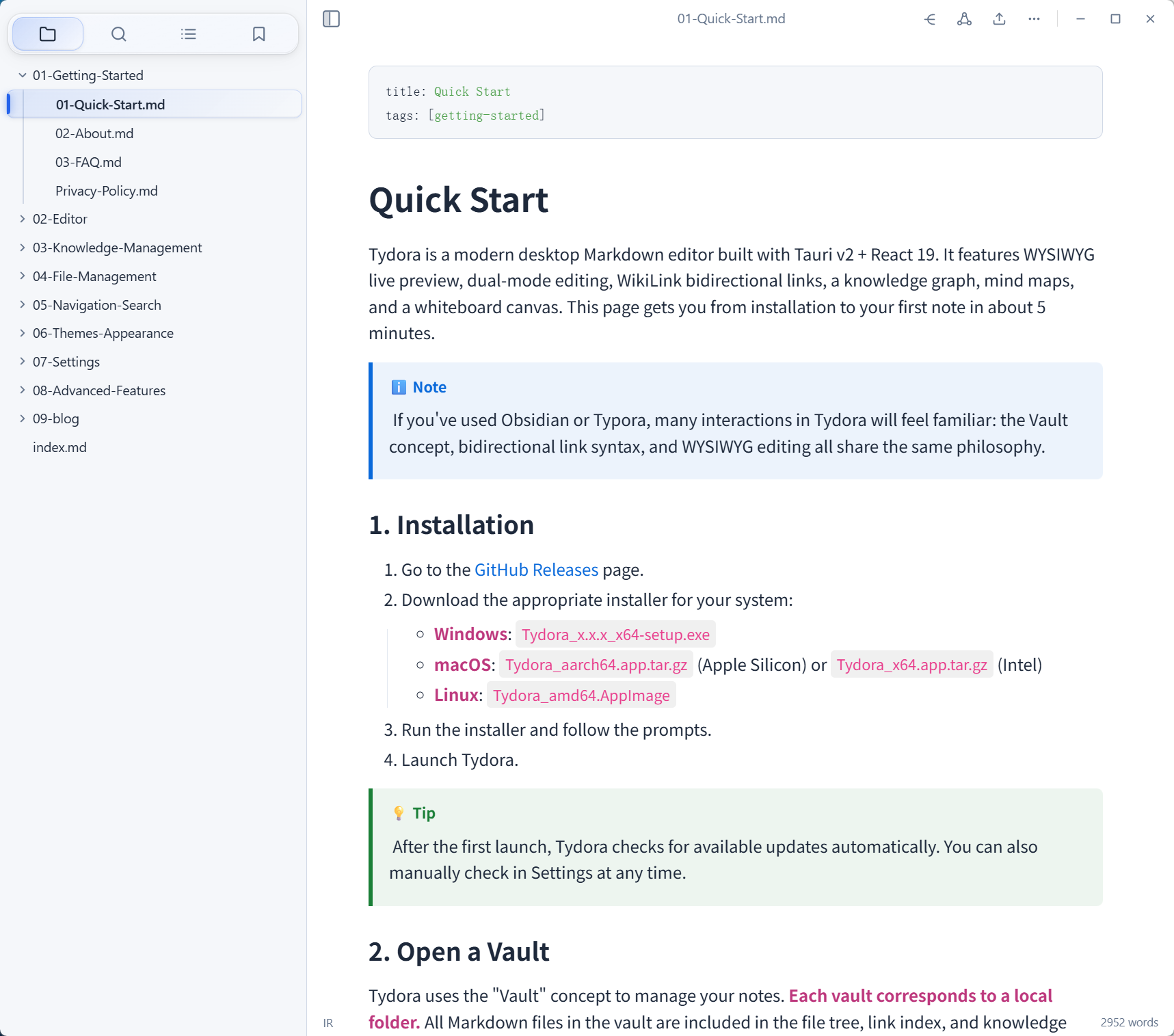
Tydora is a modern desktop Markdown editor combining WYSIWYG editing, bidirectional links, mind maps, and an infinite canvas — empowering deep thinking and effortless expression.
Windows · macOS · Linux
From editing and linking to visualization and publishing — all in one app.
Seamlessly switch between WYSIWYG (TipTap) and Source Mode (CodeMirror 6). See what you get, or get your hands dirty with raw Markdown.
Obsidian-flavored [[wikilinks]] with backlink panels,
auto-completion, hover previews, and real-time reference tracking.
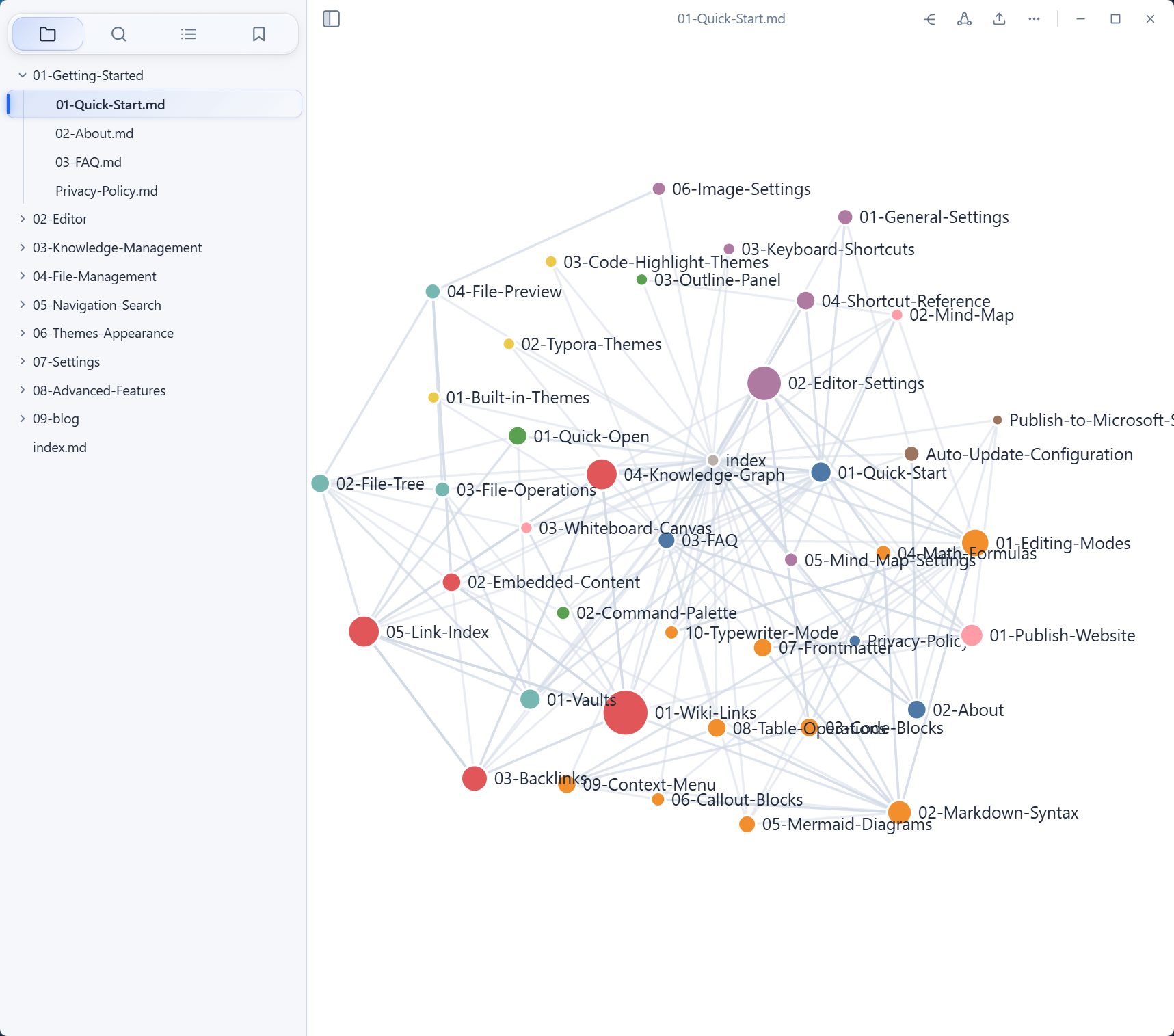
D3-powered force-directed graph visualizing how your notes connect. Click any node to navigate instantly.
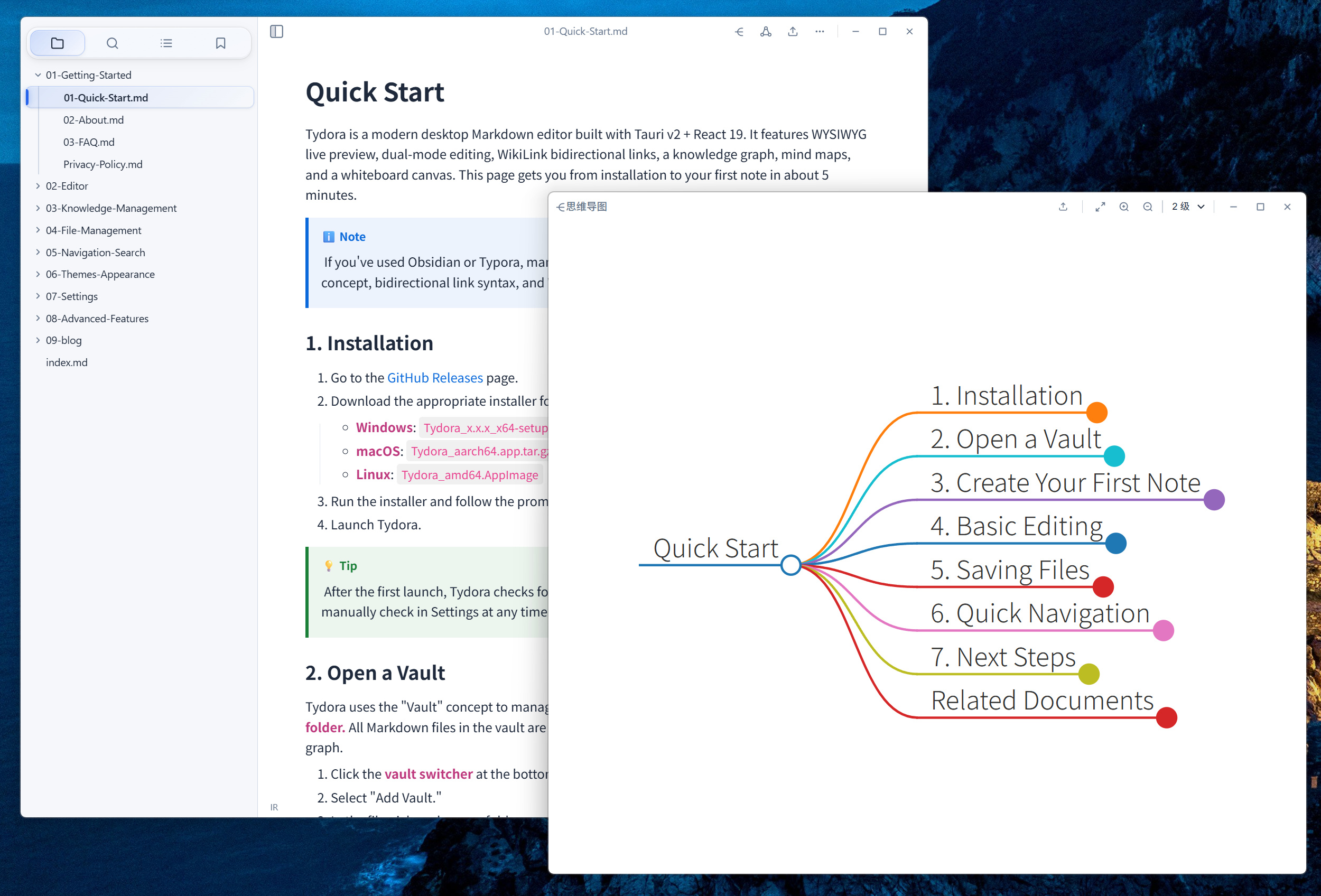
Auto-generated interactive mind maps from your Markdown headings. Pan, zoom, and explore your document structure visually.
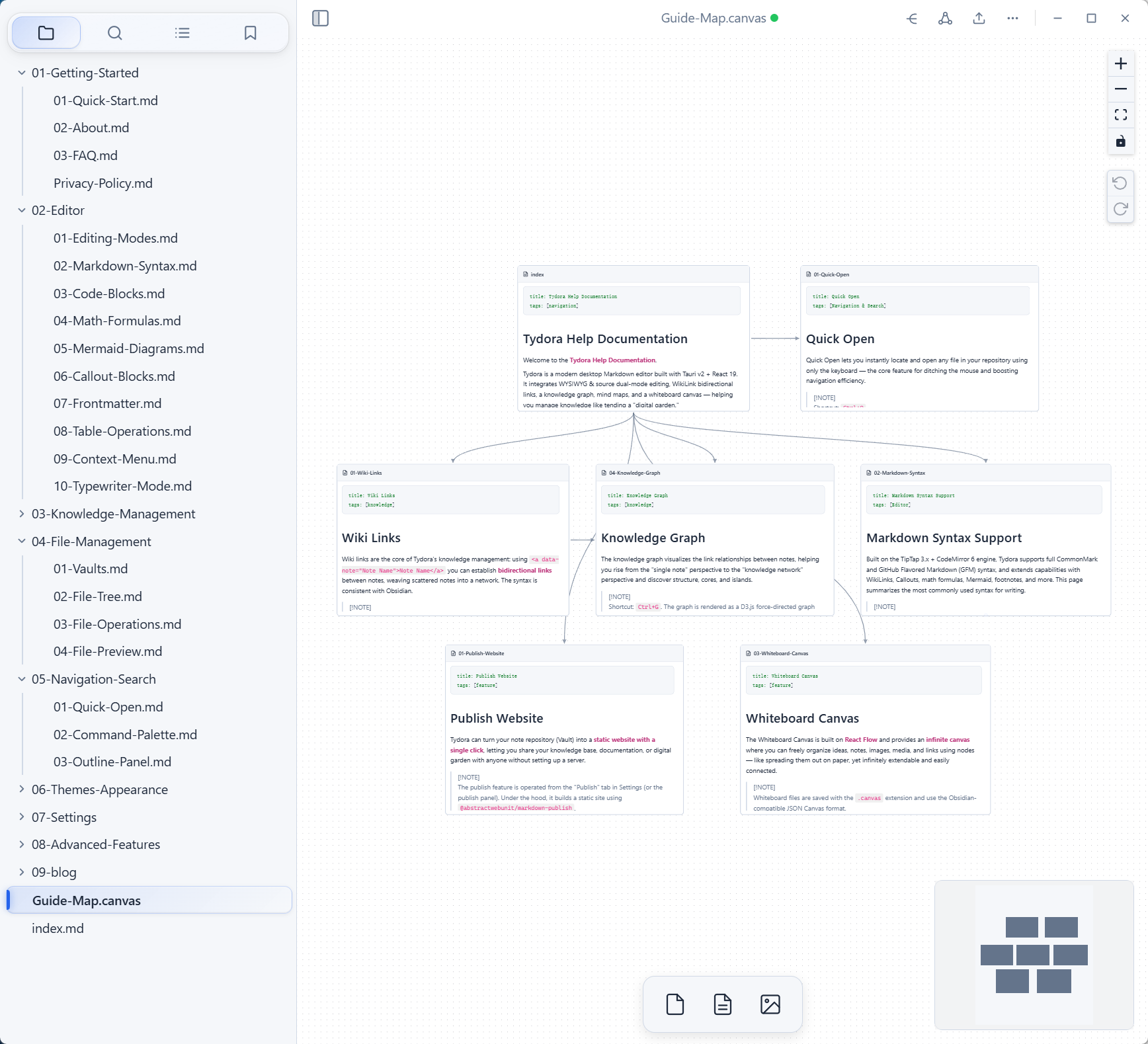
A freeform whiteboard canvas. Drop text cards, notes, media, URLs — arrange ideas spatially beyond linear documents.
8 built-in themes + custom CSS import + 11 syntax-highlight color schemes. Make it truly yours.
Turn your vault into a static website in one click. Built-in preview server — share your knowledge with the world.
Settings, graph, mind map, and canvas each open in independent windows. Perfect for multi-monitor workflows.
Every feature is polished for real-world note-taking and knowledge work.
Craft content in the rich WYSIWYG editor, then inspect the raw Markdown in Source Mode — instant live sync between the two views.
Type [[ to trigger smart autocomplete. Hover
over any link to preview its content without leaving the
current page. Backlinks panel shows every document
referencing the current one.
Work on multiple documents in tabs. Drag to split panels horizontally or vertically — ideal for reference-heavy writing sessions.
8 hand-crafted themes covering light, dark, and sepia modes. Import custom CSS to fine-tune every detail. 11 code highlighting schemes for developers.
Insert and edit Markdown tables visually. Embed web content and preview it inline — keeping context without tab switching.
Three tools that turn your notes from flat text into living, interconnected maps.
A force-directed graph rendering every note as a node and every link as an edge. Filter by depth, highlight connections, and jump to any note with a click.
Automatically generated from your document's heading hierarchy. Zoom, pan, collapse branches — visual navigation for long-form writing.
A spatial whiteboard beyond linear notes. Place text, notes, media, and URL cards anywhere. Group related ideas visually.
Turn your local Markdown vault into a fast, responsive static website. Share your knowledge with the world — no server, no configuration, no hassle.
Create and organize notes in your vault as usual.
Hit publish — Tydora generates a static site automatically.
Built-in local server lets you preview before going live.
Static HTML/CSS/JS — host on GitHub Pages, Vercel, or any CDN.
Free, open-source, cross-platform. No account required.